martes, 2 de junio de 2015

FREE CONTENT

ANTIVIRUSES


- Avast Free Antivirus: 

By default Avast Free Antivirus scans the system for performance problems (junk files, unnecessary applications etc.), as well as malware. It then shows the problem areas on a banner .


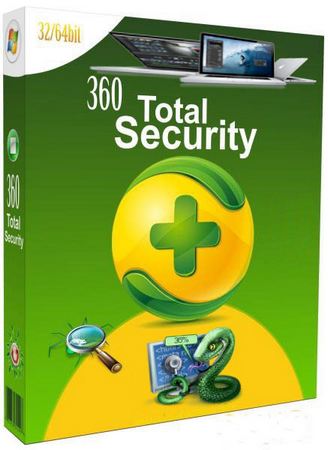
- 360 Total Security: 

This antivirus provides support antiphishing, protection of online shopping, blocking threats red and drive cleaner tools. This antivirus also uses four antivirus engines, so you'll be protected by Bitdefender technology, Avira and Qihoo.


- AVG AntiVirus Free: 

This program scans automatically your computer at regular intervals, on certain days of the week or month. This antivirus also has the function called "AVG Turbo Scan", which improves scanning speed in the order in which files are stored on the hard disk.


lunes, 1 de junio de 2015

THREATENS

DEFINITIONS

Malware: Malware or malicious software is any software used to disrupt computer operation, sensitive information, or gain access to private computer systems. Malware is defined by its malicious intent, acting against the requirements of the computer user.

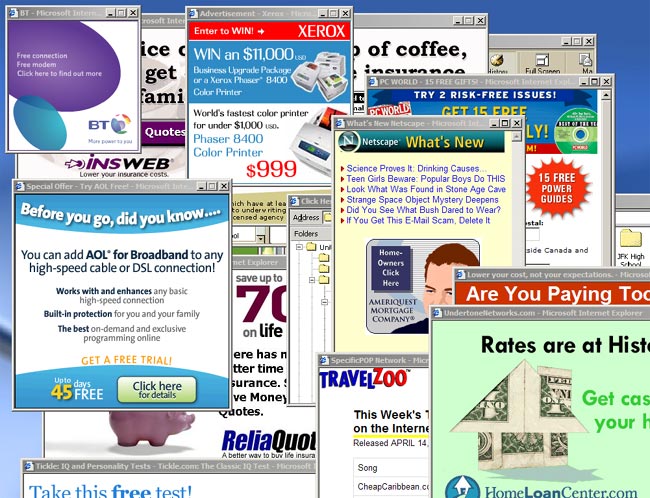
- Spyware: Is software that aims to gather information about a person or organization without their knowledge and that may send such information to another entity without the consumer's consent, or that asserts control over a computer without the consumer's knowledge. Spyware is mostly used for the purposes of tracking and storing Internet users' movements on the Web and serving up pop-up ads.

- Phishing: Is the illegal attempt to acquire sensitive information such as usernames, passwords, and credit card details, often for malicious reasons, by masquerading as a trustworthy entity in an electronic communication.


EXAMPLES


Malware


Spyware


Phishing:

jueves, 28 de mayo de 2015


    How to get rid off viruses?


Every computer connected to the internet 
is vulnerable to viruses, forcing us to pay  
                                  
the software protection industry's 

charges to stay safe while we surf.


Looking for an antivirus app? Find out that app that our company  have had programmed that can help you and your computer get rid of viruses. 


AVAST ANTIVIRUS
  TIPS:


  • Keep your software up-to-date. Even if your computer comes off the shelf with a level of protection, threats change daily. So it's imperative you keep your software up-to-date or else it's useless.


  • Protect your identity online. With more and more of us using the web to bank online and do other sensitive tasks, coming up with solid passwords is more vital than ever.


  • Don't use the same login for lots of sites. If one falls into the wrong hands, your whole online life is up for grabs. Try picking one and add a few letters related specifically to each site you're logging into.ssing it. At the very least, disconnect your broadband when you're not online.


  • Switch off your computer after browsing. While your PC's on, and after you've been browsing, is a prime time for malware (malicious software) attacks. So switching it off is a good preventative measure. 


  • Don't open unknown email attachments. Most web crime still happens via email, so be on guard when checking yours. Don't open. Switching your computer off when you aren't using it doesn't just save energy, it stops others access in any attachments you're not expecting, or click any random links you find in the text. If you're unsure if a site's legit, whack the name into Google and see what comes up. It may be listed as a bad 'un.


  • Only download software from trusted websites.


Videos about security on the Internet


Safe Web Surfing

Watch it here: https://www.youtube.com/watch?v=PDpwQqzua_c

Cyber Security:
Watch it here: https://www.youtube.com/watch?v=RV9oN5EGd9Y

Cyber Security: The Basics
Watch it here: https://www.youtube.com/watch?v=MA8c6NDaao4